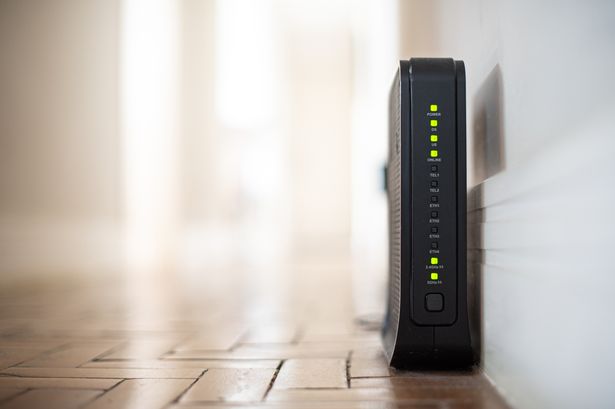
UK households preparing for New Year’s gatherings are being advised to disable a specific Wi-Fi feature known as Wi-Fi Protected Setup (WPS) before December 31, 2023. This recommendation comes as many families anticipate hosting parties filled with additional devices, making it crucial to ensure network security.
WPS is a feature designed to simplify the process of connecting devices to a Wi-Fi network. Users can join a network by either pressing a button on the router or entering an 8-digit PIN. Despite its convenience, security experts have highlighted that the WPS PIN method is vulnerable to brute-force attacks, where an unauthorized individual can repeatedly attempt to guess the PIN until successful.
According to the US Cybersecurity and Infrastructure Security Agency (CISA), the WPS “external registrar” PIN exchange poses significant risks. A vulnerability note from the Computer Emergency Response Team (CERT) indicates that flaws in the PIN verification process can reduce the time needed to successfully crack the code, especially in routers that do not adequately lock out repeated attempts. Furthermore, Netgear‘s support documentation affirms that the WPS PIN connection method is susceptible to these attacks, which could lead to unauthorized access to a home network.
As households welcome guests during the festive season, the risk of unwanted devices connecting to their network increases. Families often share Wi-Fi access with visitors, set up new devices, and may add network extenders to accommodate extra users. Each of these actions heightens the potential for security breaches, as unauthorized devices could interact with other connected equipment in the home.
Research from AI SEO agency IMSR indicates a surge in online searches related to Wi-Fi security during the holiday season. Queries such as “WPS meaning,” “turn off WPS,” and “guest Wi-Fi setup” suggest that many are actively seeking ways to enhance their network security. However, it is essential to note that during busy periods, individuals may opt for the quickest solutions without verifying the credibility of the information.
To enhance security, experts recommend taking several steps:
1. **Disable WPS**: Turn off WPS in the router settings if it is enabled. This option may appear under WPS, “Push Button,” or “PIN.”
2. **Change Default Login Credentials**: Update the router’s administrator login from the factory defaults. The NI Cyber Security Centre warns that default usernames and passwords are not secure.
3. **Establish a Guest Network**: If possible, set up a guest Wi-Fi network for visitors. This isolates guests from smart home devices on the main network, minimizing risk.
4. **Keep Firmware Updated**: Ensure that the router’s firmware is current, particularly if using an older model.
IMSR advises treating the home router with the same caution as a front door. Disable unused features, keep login details private, and provide guests with a separate “guest key” for Wi-Fi access. For those unsure of how to find WPS settings, information is typically available on the router’s label, internet service provider support pages, or within the router’s settings app.
As families prepare to celebrate the New Year, taking these precautionary steps can help safeguard their networks and maintain a secure digital environment amidst the holiday festivities.